1. The cameras observe
The cameras give PerimeterEye a view of the person, their location, and their activity. That context helps the system determine whether a response is needed.
A searchlight that follows intruders. Motorized searchlight that follows intruders across your property. Includes its 90 W PoE injector.
Picture 1 of 3: PerimeterEye tracking spotlight in white
Part of your PerimeterEye system
The full demonstration, with sound.
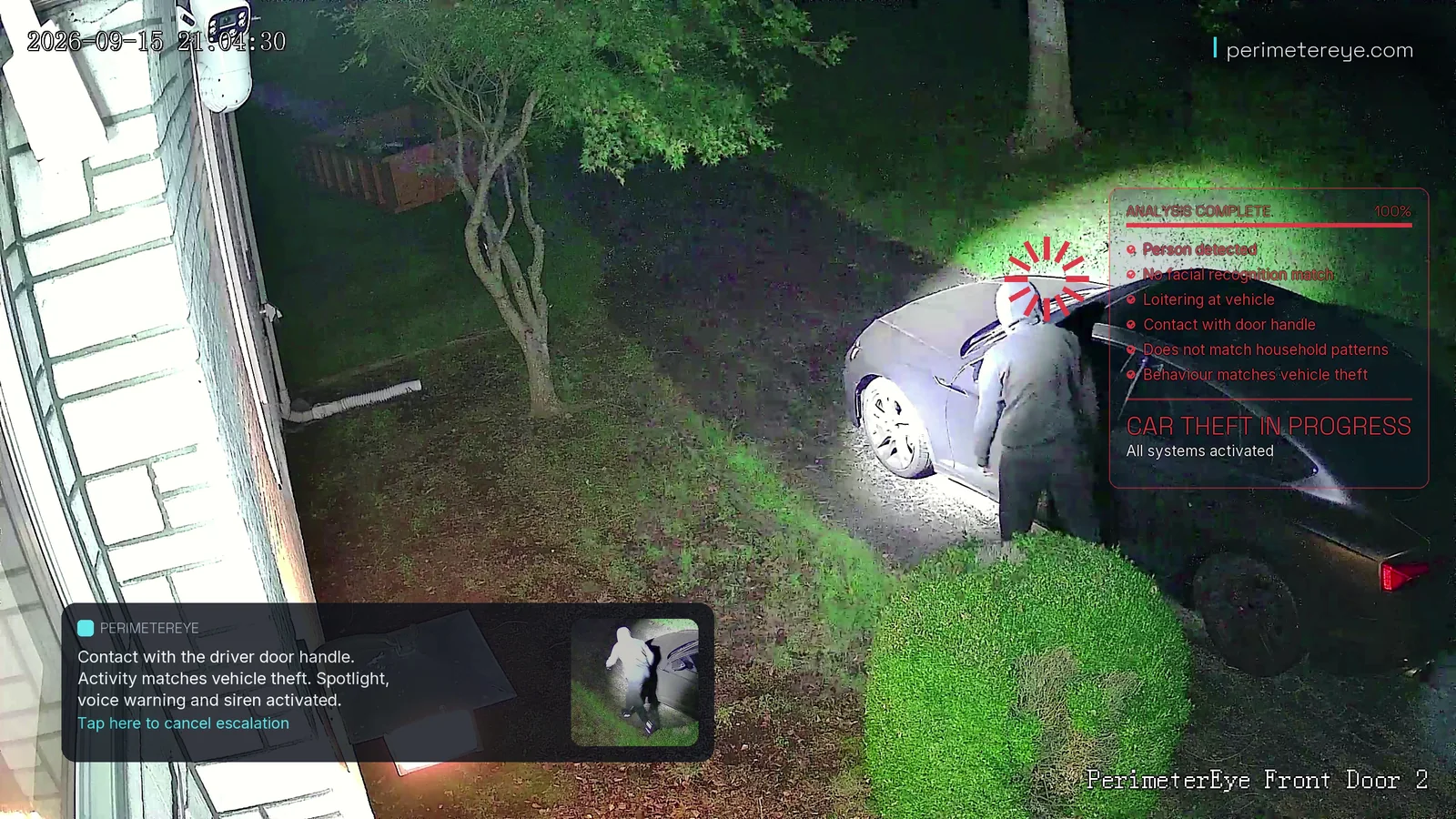
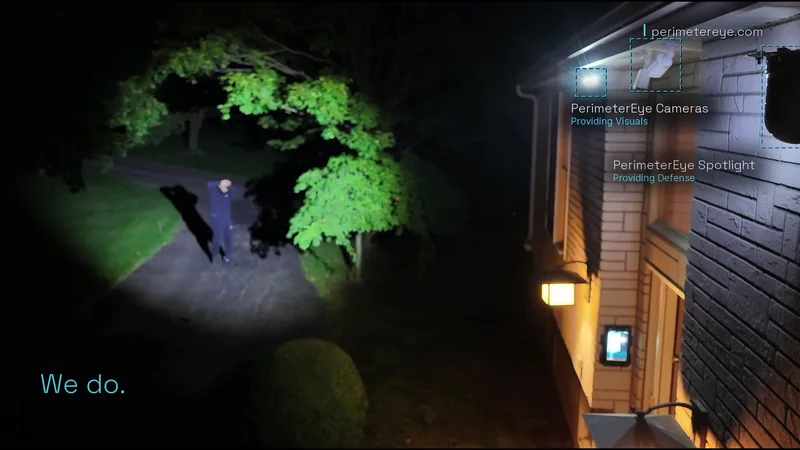
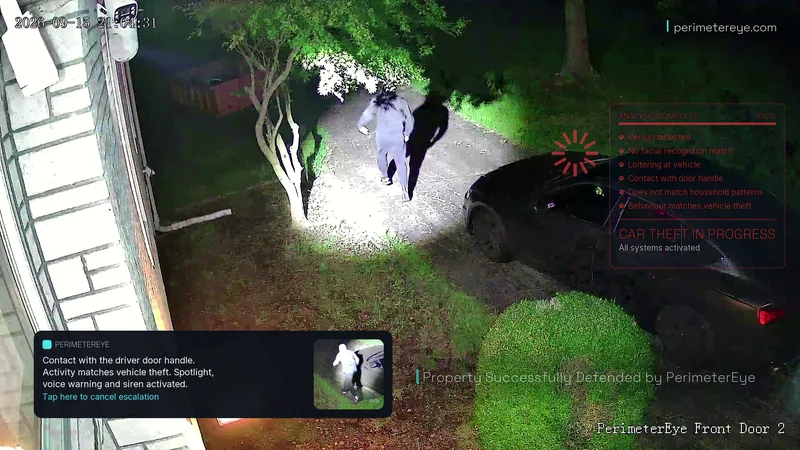
Live PerimeterEye demonstration. Real footage. Real-time autonomous detection, tracking, and deterrence.
| Movement | Motorized: 355° pan, 90° tilt |
|---|---|
| Power | 90 W PoE injector (included) |
| Tracking | Full automatic tracking on Brain Full, which a system designed with a searchlight comes with |
| Colors | White, black |
One system. Clear control.
The PerimeterEye Brain sits at the head of the system, coordinating the connected hardware. Camera context, PerimeterEye AI assessment, and your settings inform the response; the Brain sends the commands that put it into action.
The cameras give PerimeterEye a view of the person, their location, and their activity. That context helps the system determine whether a response is needed.
When activity needs to be illuminated, the PerimeterEye Brain commands the searchlight to aim at that person or area. It directs tracking as the activity develops.
The searchlight receives the Brain’s commands and physically turns, tilts, and illuminates the selected area. The hardware carries out the response under the Brain’s control.
Meet the searchlight
The whole head physically rotates and tilts in response to the Brain’s commands. Those movements aim the beam at the selected activity and follow it within the covered area.
The head turns to direct the beam across the covered area.
Motorized elevation directs the beam up or down.
Every unit carries out aiming and tracking commands from the Brain. A system designed with a searchlight comes with Brain Full, for full automatic tracking.
Manual aim, activation, and response controls.
Both colors include the same motorized tracking capability.
Coverage is designed around your property. In the demonstration, one searchlight lights 150 feet of driveway. Camera views, mounting positions, sightlines, and obstacles matter. Rotation and tilt describe the unit’s movement; they do not mean one searchlight covers every part of a property.
From observation to action
The cameras provide the view. PerimeterEye assesses the activity. The Brain directs the hardware response, and the searchlight carries it out.
Your cameras show activity around entrances, vehicles, and other covered areas. PerimeterEye uses those views to understand where the person is, what they are doing, and how the situation is developing.
At the head of the system, the PerimeterEye Brain coordinates the response using camera context, PerimeterEye AI assessment, and your Property Mode. When illumination is called for, the Brain sends the searchlight its commands.
The motorized head turns and tilts to illuminate the area the Brain directs it toward. The Brain directs continued tracking as the person moves within coverage; the searchlight executes that movement.
The searchlight is one tool in the system’s response, alongside targeted voice, owner alerts, and siren escalation. You can watch, speak, or change the response from your phone or indoor panel.
One coordinated system
As the full demonstration shows, tracking works alongside a warning directed at the person and escalation when the situation calls for it.
The Brain commands the searchlight to illuminate the selected activity and directs its movement to keep the beam on it within coverage.
The AI addresses the person it sees with a warning tailored to the activity. You can also speak live yourself.
Explore voice warningsA 120 dB siren can add a stronger response, with adjustable volume. Activity, mode, and settings determine when escalation is appropriate.
Explore siren escalationPlan the complete response for your property.Choose a system with the cameras, searchlights, and connected hardware your layout needs.
Design my systemPerimeter Sweep
The Brain commands the searchlights to sweep your property’s exterior, moving across driveways, yards, and perimeter areas. In system settings, you can configure these sweeps to run as often as you like, separately from tracking a person.
Set the timing and frequency in system settings to suit your property and preferences.
The default is one hour after sunset. You can change the schedule and configure more frequent sweeps.
You can adjust your sweep settings or turn Perimeter Sweeps off entirely.
Armed / Daily-use mode
A delivery, a regular worker, and a family member coming home are part of daily life. PerimeterEye learns your property and uses context to assess activity while remaining in Armed.
You do not need a daily routine of arming, disarming, or telling the system to stand down as people come and go.
Visitor: For large gatherings with lots of expected activity.
High Alert & Maximum Security: More assertive deterrence settings for heightened concern, with owner control intact.
Quiet: Cameras keep recording while AI analysis, notifications, and deterrence stand down.
Off: Watching and recording stop. Spotlights stand down.
You remain in control
See what is happening through your connected camera views on your phone or indoor wall panel.
Aim and activate the searchlight manually when you want to direct attention to a particular area.
Escalate or de-escalate, change Property Modes, and choose how often Perimeter Sweeps run in system settings.
Return to the Event Timeline for the activity, relevant camera views, and response context.
Built around the places that matter
Start with the areas you want to see and respond to. The right number and placement of cameras and searchlights depend on your layout.
Follow approaches to parked cars, the driveway, and the garage area.
Explore driveway protectionDirect attention to activity near entry points and the routes around the home.
Explore Active DeterrencePlan camera views and searchlight coverage around workshops, outbuildings, and longer approaches.
Explore larger propertiesDesign a complete system, or keep cameras you already have: a specialist designs your system around them. The Brain connects your cameras and deterrence hardware into one coordinated system.