AI Perimeter Detection: Behavior, Not Just Motion
AI perimeter detection means reading behavior at your property line — dwell time, approach path, time of night, repeat visits — instead of reacting to raw motion. In PerimeterEye — an Automatic Property Defense System — detection is step one of a response ladder, not the product: a verified intruder gets a tracking searchlight, a live targeted voice warning, and a 130 dB siren, in seconds, automatically.
 View photo
Frame by frame, in infrared
Three seconds from the alert to the searchlight.
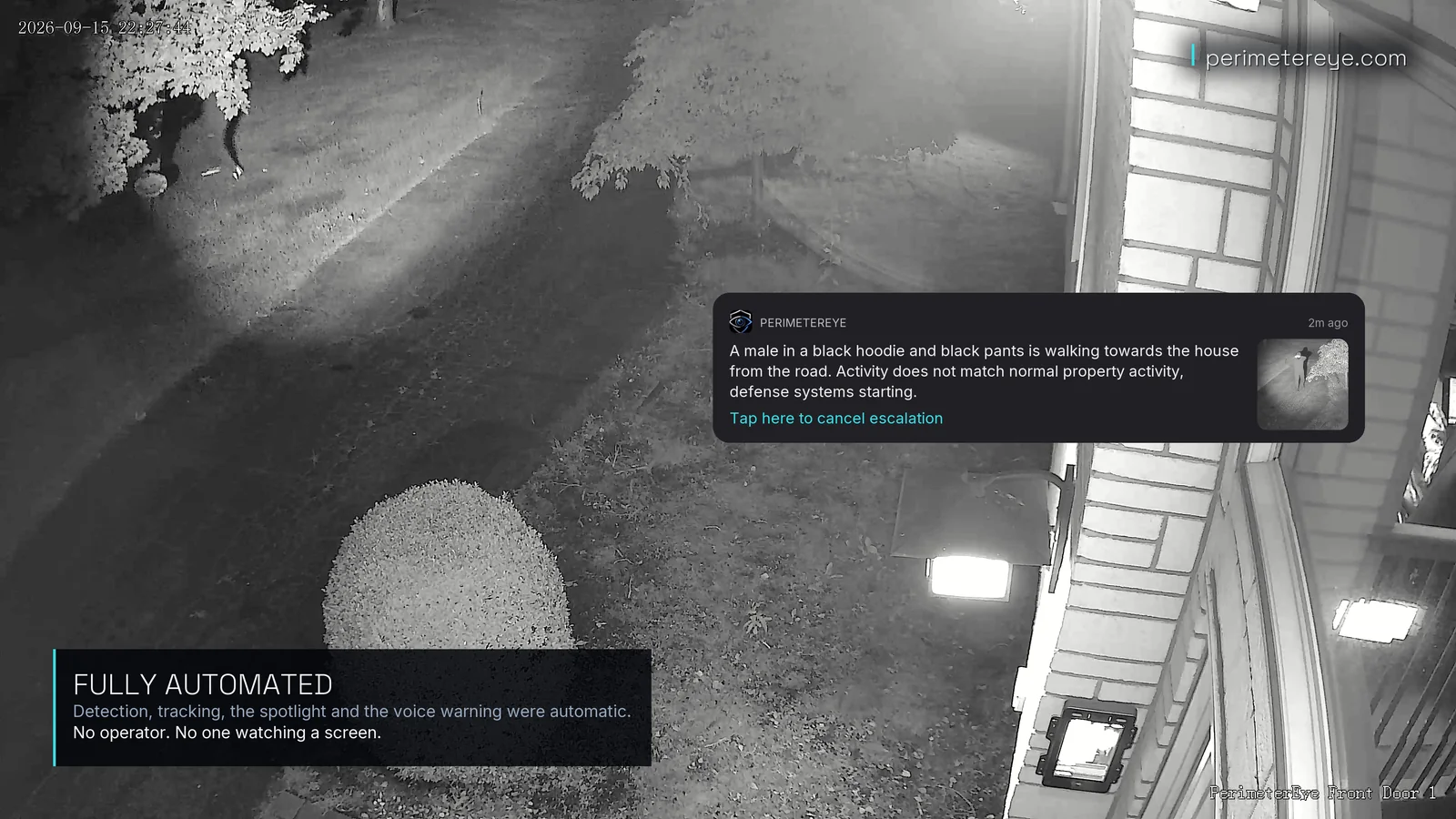
Front Door 1, on the camera’s own clock. The person is visible at the road end at 22:27:34, the alert describes them at 22:27:35, and the searchlight is on them at 22:27:38. By 22:27:42 they are turning away.
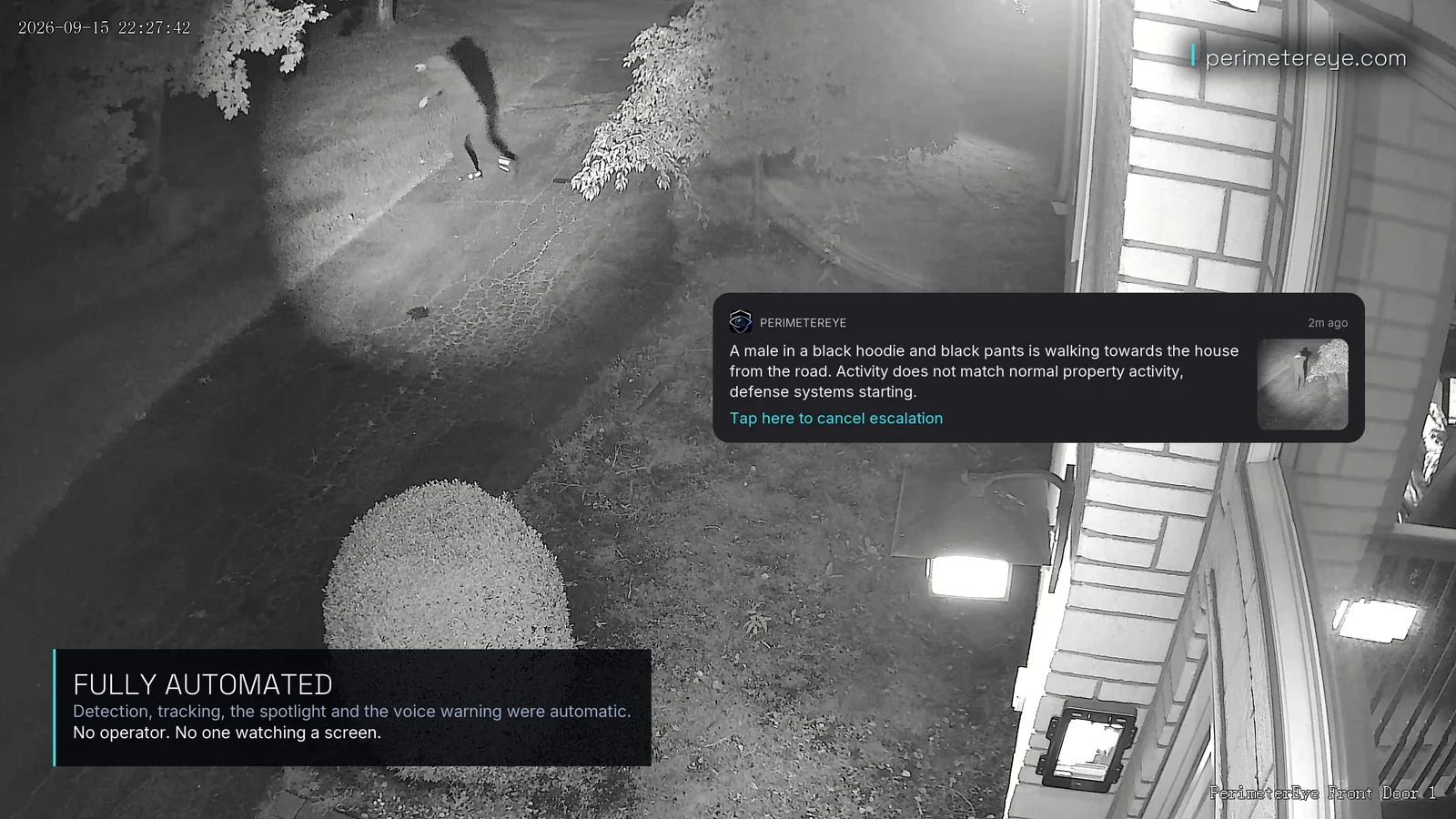
1 of 6 · 22:27:34View full size
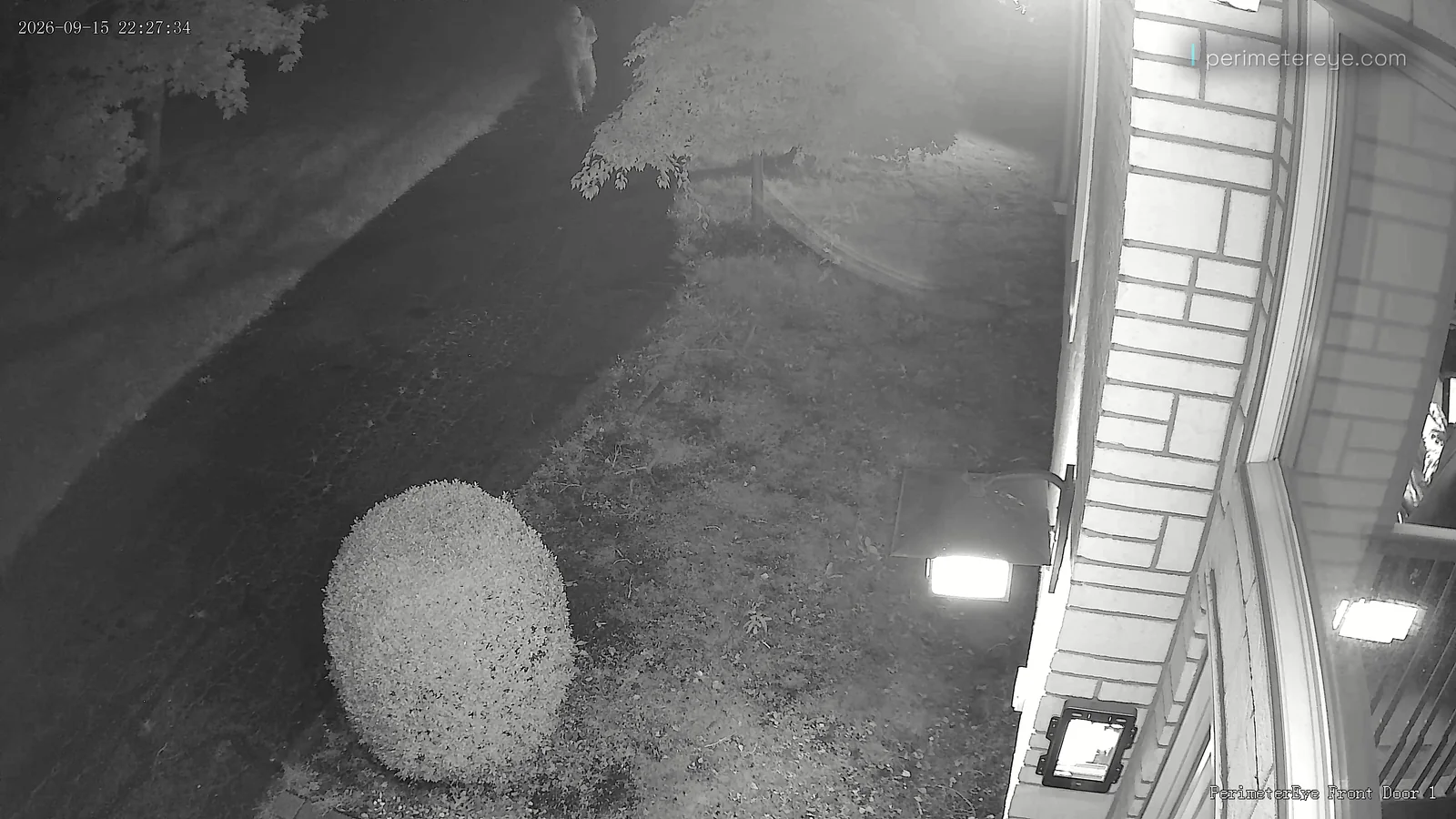
Walking in from the road
At the far end of the driveway, in the dark, the person is already in view of the camera.
2 of 6 · 22:27:35View full size
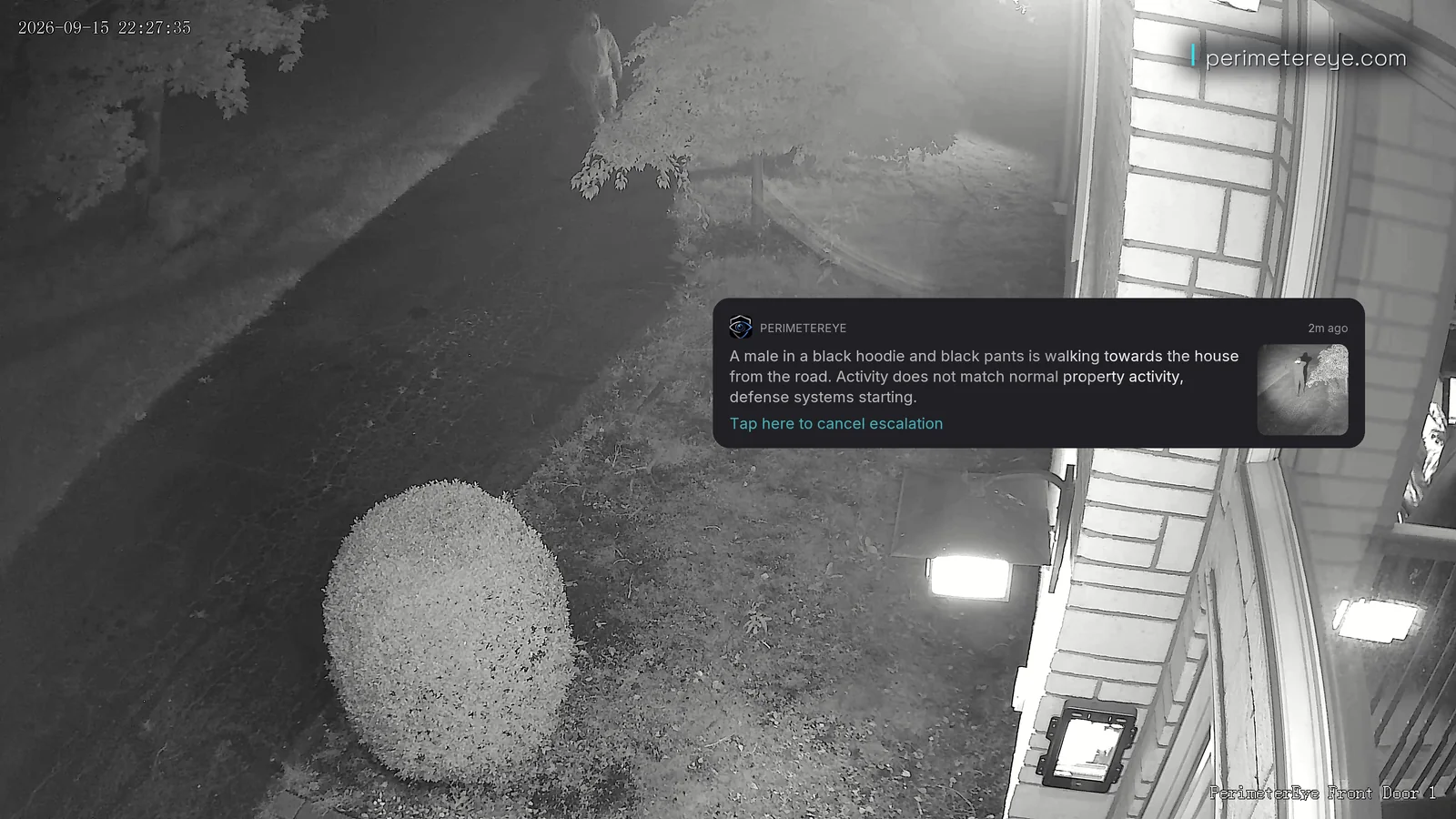
The alert
The alert reads: walking towards the house from the road; activity does not match normal property activity; defense systems starting.
3 of 6 · 22:27:38View full size
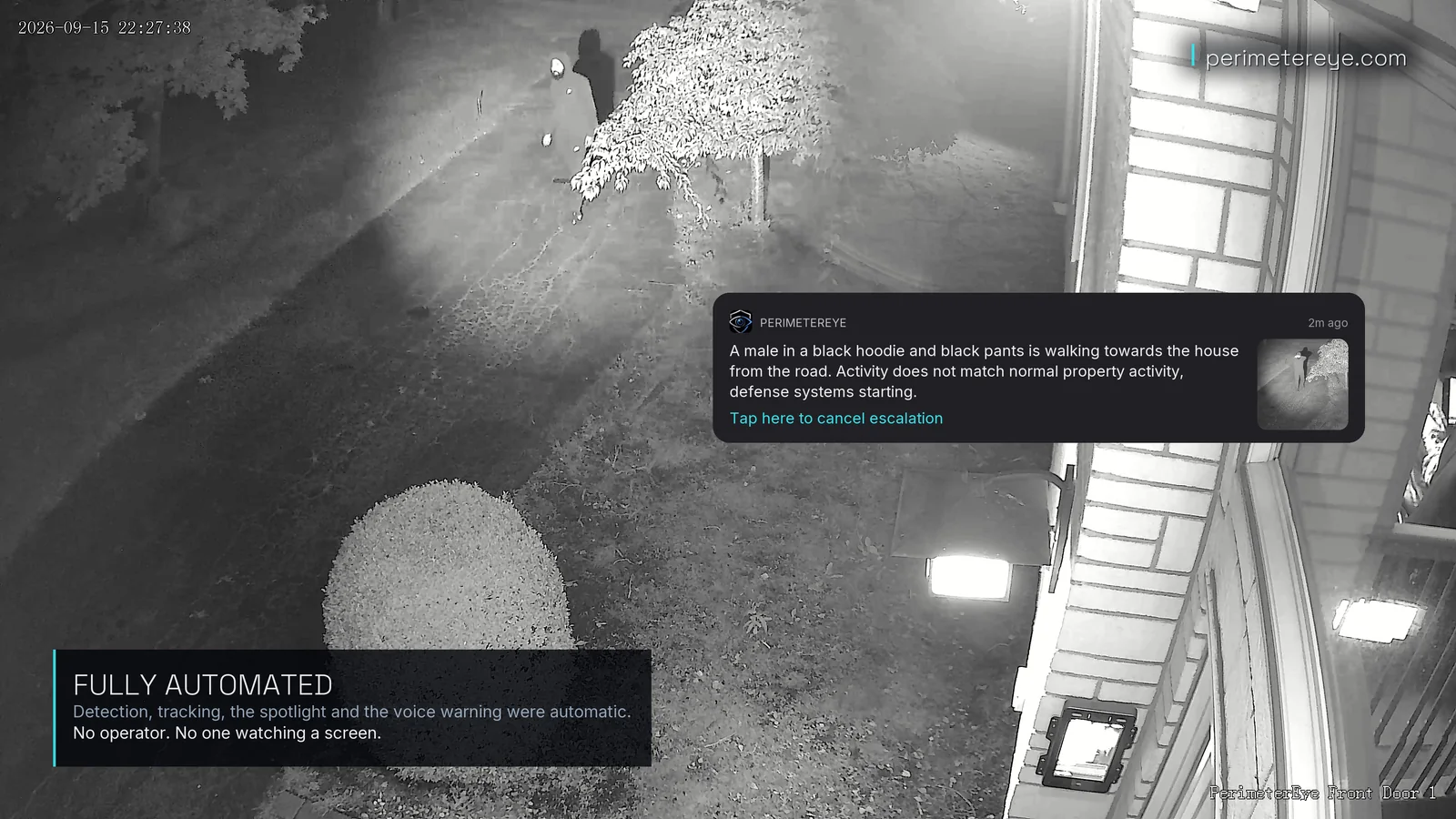
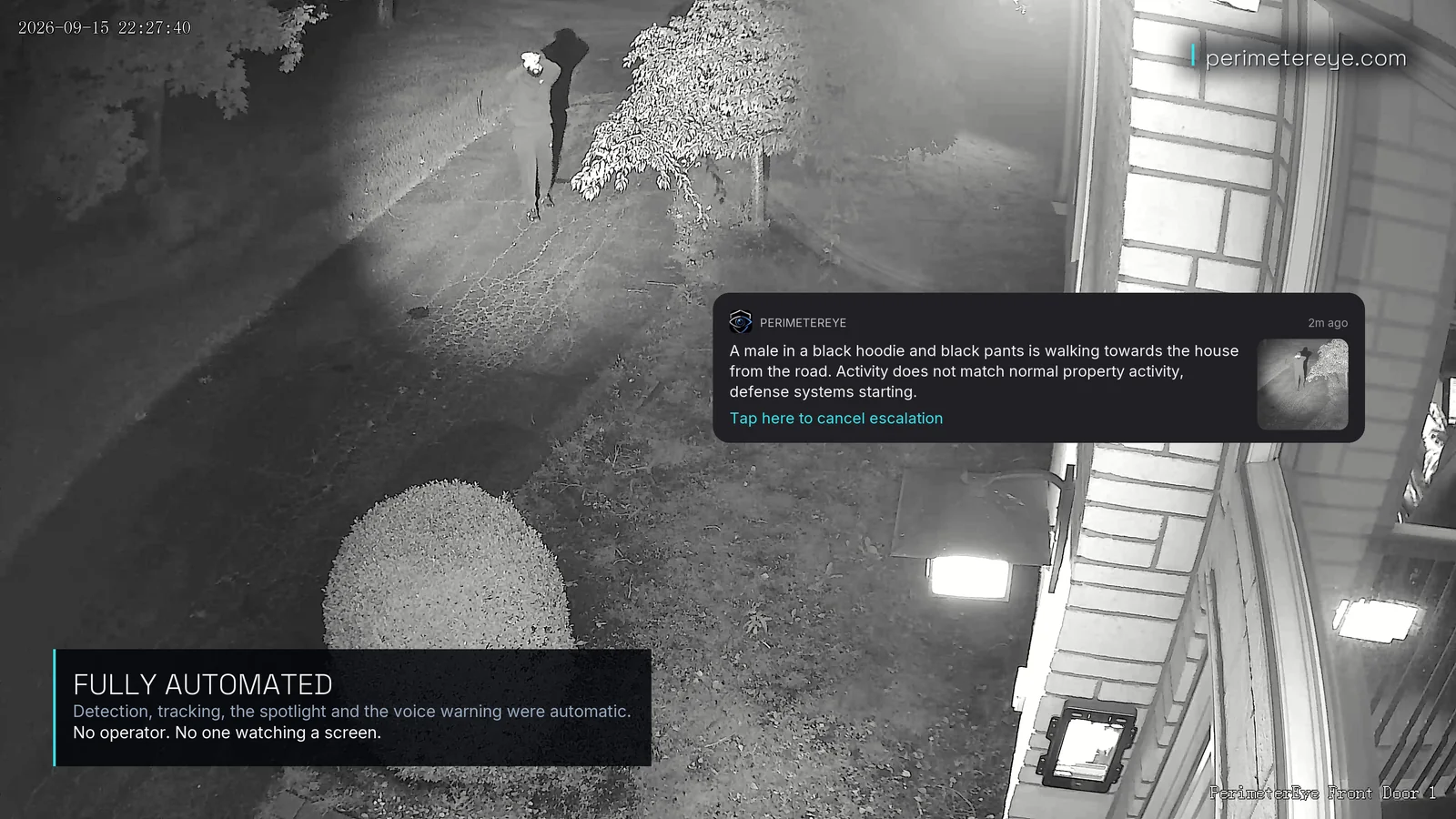
In the searchlight
Three seconds after the alert, the searchlight is on the person by the tree. Detection, tracking, the light, and the voice warning were all automatic.
5 of 6 · 22:27:42View full size
Turning away
Four seconds in the light, and the person turns away from the house. The beam goes with them.
6 of 6 · 22:27:44View full size
Followed off the lawn
The searchlight stays on them to the edge of the camera’s view.
Filmed September 15, 2026, on a real property with PerimeterEye cameras and a searchlight. The approach was staged for filming; the system’s response was automatic, with no operator.
What changes
From Property Line to Response Ladder
- Detection reads behavior — dwell, path, hour, repetition — not just pixels changing.
- A detection isn't a notification; it's the first rung of an automatic response ladder.
- Protected zones and six modes tune scrutiny to how you actually live.
A motion sensor answers one question: did something move? That's the wrong question at a property line, where wind, wildlife, and headlights move constantly. The question that matters is whether behavior belongs — and answering it takes context a tripwire will never have: how long, which path, what hour, how many times before.
PerimeterEye treats the answer as the start of something, not the end. Detection feeds verification; verification feeds the ladder — searchlight, targeted voice, siren, priority alerts with live video. The perimeter isn't a boundary that reports being crossed. It's a boundary that responds to being crossed.
What every system includes
- On-site edge computer (the Brain)
- 4K AI cameras
- Tracking searchlights
- Live targeted AI voice
- 130 dB siren escalation
- Doorbell video intercom
- Wall panel command center
- iOS app with live 4K video
01
Motion Is a Fact. Behavior Is a Signal.
Everything moves: trees, cats, headlight sweeps, a trash can on a windy night. Systems that treat motion as the event either drown you in noise or get muted — same outcome either way. AI perimeter detection asks better questions. How long has this person been near the fence line? Did they walk up the driveway or cut across the yard? Is it 2 p.m. or 2 a.m.? Have they been here before?
PerimeterEye weighs those signals continuously. A visitor walking straight to your front door at noon reads as a visitor. Someone pausing at the gate, checking the street, then moving along the hedge line after midnight reads as something else entirely — and gets treated accordingly.
02
The Signals That Matter
No single behavior proves intent, which is why the system reads them together and holds a running judgment instead of firing on the first trip. Dwell without approach might be a lost driver; approach without dwell might be a delivery. It's the combination — in the wrong zone, at the wrong hour — that raises the threat level.
Because the system knows the household, this scrutiny is reserved for unknowns. Your family's arrivals, the regular mail carrier, the recurring service worker — none of it triggers deterrence, which is exactly what keeps the real signals legible.
- Dwell time — lingering near an entry point, a vehicle, or the property line
- Approach path — the driveway walk versus the fence-line creep
- Time of night — identical behavior reads differently at 2 a.m. than at 2 p.m.
- Repeat visits — the same unknown person or vehicle returning across days
- Protected zones — areas you define where scrutiny runs higher
03
Detection Is Step One, Not the Product
For monitoring systems, detection is the finish line: something was detected, you were notified, the product has done its job. For PerimeterEye, detection is where the job starts. A verified threat moves up the escalation ladder automatically — the tracking searchlight locks on and physically follows, the AI addresses the person directly in live speech, and if they persist, the 130 dB siren fires with priority alerts and live video to your phone.
You can step in at any rung — watch, talk live, take manual control — or let it run. Either way, the intruder's experience is not silence and a blinking recording light. It's light on their body, a voice describing them, and consequences that keep rising.
04
Protected Zones and Modes, Not Arming Rituals
You define the zones that deserve extra scrutiny — the detached garage, the pool gate, the equipment barn — and the system holds those lines with heightened attention. Modes handle the rest: Off, Quiet, Visitor, Armed, High Alert, and Maximum Security tune how much scrutiny the perimeter gets and how quickly the ladder escalates.
There is nothing to arm or disarm, and no code to fumble at the door. You set a mode and the system holds it until you change it — the perimeter gets the same attention on night one and night nine hundred.
05
Why Night Detection Deserves More Than a Ping
Light itself is one of the best-evidenced deterrents on record. A randomized experiment across 77 New York City public-housing developments found that added nighttime lighting cut outdoor nighttime index crimes by roughly 36 percent, with effects persisting for years (Chalfin, Hansen, Lerner and Parker, NBER Working Paper 25798, 2019). A detection that ends in a silent notification leaves that lever unpulled.
PerimeterEye pulls it automatically. The moment a threat is verified at night, a searchlight with 355 degrees of rotation and 90 degrees of tilt locks onto the person and follows them, the way a police helicopter's light holds a suspect. Each night, an hour after sunset, the spotlights also run a configurable Perimeter Sweep — a visible patrol that never crosses your property boundary. No security system can guarantee prevention of every incident, but the evidence points hard at light, attention, and being unmistakably seen.
What separates PerimeterEye
Behavior, not just motion.
Motion and person detection answer “did something move?” PerimeterEye answers “does this belong here?”
| Option | What sets it off | What it tells you |
|---|---|---|
| Motion zones | Changing pixels: headlights, branches, rain, animals. | That something moved. |
| Person detection | A person-shaped object anywhere in the zone. | That a person was there. |
| PerimeterEye | Behavior: where they came from, where they go, what they touch, and whether it fits the household’s patterns. | Who, what, and why it matters, in plain language. |
Watch it at full speed
The same response, on film.
Real footage of the working system. Play it with sound to hear the voice warning and the siren.
Night-vision camera footage as the searchlight finds and holds a person on the property.
Play with sound to hear the voice warning and siren.What it costs
See what a system costs for your property.
Essential system
As low as$146/mo*Essential covers a driveway and the approaches to the house. Larger properties usually suit Advanced or Estate; a specialist can size it with you before you order.
What’s included
- 5 ultra-HD 4K cameras
- 1 tracking spotlight
- 1 speaker/siren unit
- PerimeterEye Access intercom, included with every complete system
- 1 PerimeterEye control panel
- 1 PerimeterEye AI processor
*Essential system, $0 down: 36 monthly payments of $145.17 at 10% APR on the hardware price before sales tax, shown rounded up to the dollar. Affirm rates 0–36% APR; Klarna terms are shown at checkout. Subject to eligibility and lender approval; your rate, term and down payment may differ. US only; not available in all states. Software is billed separately: first 6 months included, then $99/month.
Before you choose
Common questions
How is AI perimeter detection different from a motion sensor?
A motion sensor reports that something moved; it can't tell a deer from a burglar or a delivery from a prowler. AI perimeter detection reads behavior — how long someone lingers, the path they take, the hour, whether they've been seen before — and escalates only when the pattern warrants it.
What counts as suspicious behavior at the perimeter?
Patterns, not single acts: lingering near entry points, cutting across the property instead of using the driveway, moving along fence lines late at night, or the same unknown person or vehicle returning across several days. Any one alone might be innocent; the combination, in the wrong zone at the wrong hour, raises the threat level.
Do I need to arm the perimeter at night?
You can leave the system in Armed, its daily-use mode, day and night. It learns your property and recognizes routine activity, so you do not need to manually arm and disarm it whenever you come and go. Select Off, Quiet, Visitor, High Alert, or Maximum Security when you want a different response; the system keeps your chosen mode until you change it.
Will deliveries and family trip perimeter detection?
They're seen, analyzed, and documented — but they don't trigger deterrence. The system knows the household, so family arrivals and regular mail carriers pass without escalation, and package detection with delivery guidance works in every mode except Off and Quiet. Deterrence is reserved for verified unknowns behaving like unknowns.
What does behavior-based detection change for an intruder?
Their whole experience. Instead of moving unseen past a silent camera, they’re lit by a tracking searchlight, addressed out loud, and documented in a written analysis, while you get the alert with live video in seconds. No security system can guarantee prevention of every incident.
Keep exploring
Related reading
Put a response behind your property.
Tell a specialist about your property, your driveway, and where people approach. They’ll size the cameras, searchlights, and sirens with you, or book a call first if you’d rather talk it through.
Explore an upgrade for your existing camerasSystem launch offer
Your first 6 months
of service included.
First 6 months included from activation. Then $99/month.
Compare system packages